In brief
- A GPS on the collar records your dog’s actual route, not yours.
- You can then view the route, the duration and the history of your outings.
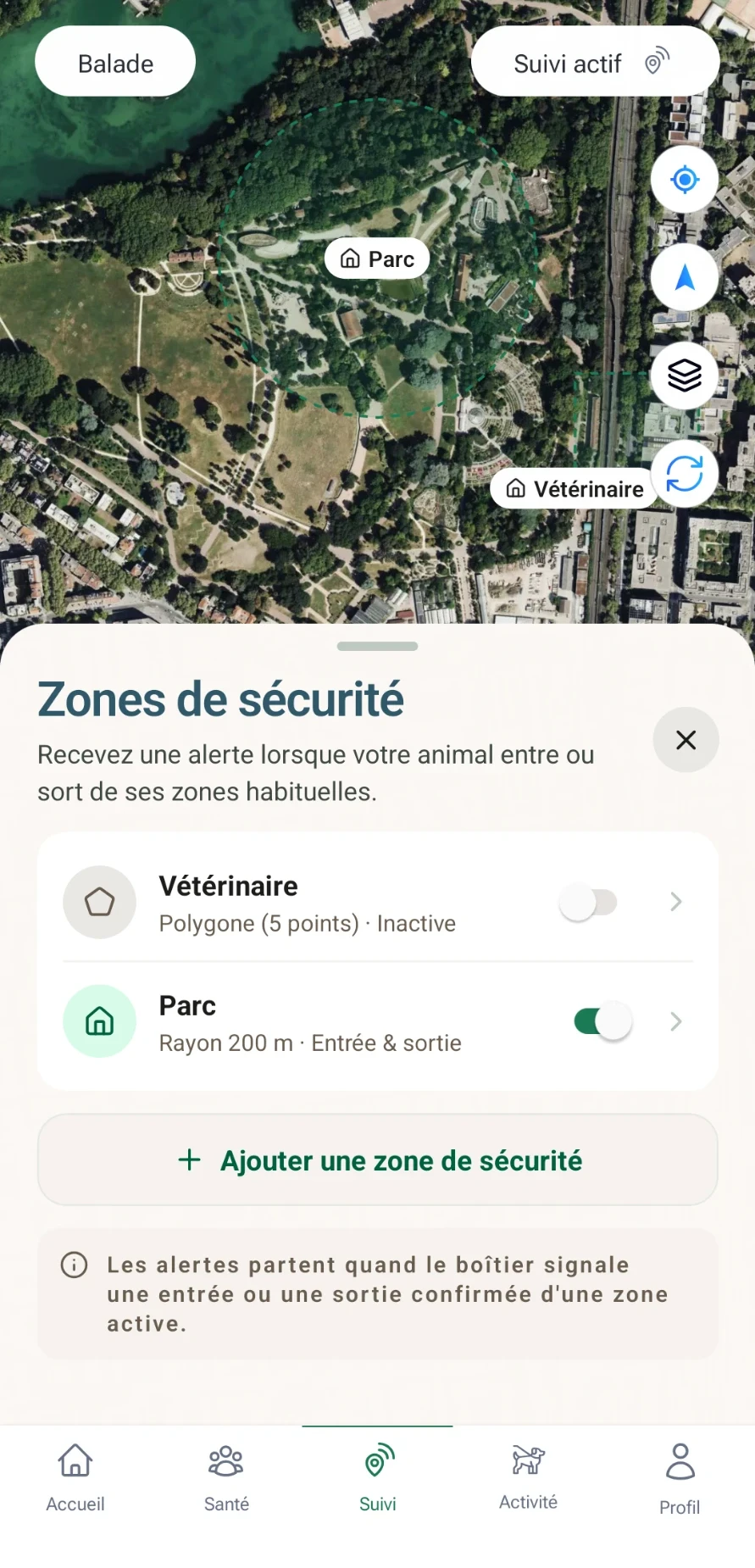
- A safe zone around your home alerts you if it leaves.
- In Bixar, your walks also count towards your Rewards.
A running app records your outings. A GPS on the collar records your dog’s — including when it goes off exploring fifty metres ahead of you.
- RoutesFind a great walk again, vary your routes.
- DurationSee the time actually spent outdoors, week after week.
- RegularitySpot the days without an outing.
- MemoriesA history of your time together.
How to record a walk
- 01StartStart a walk from the app.
- 02FollowThe GPS on the collar records its route.
- 03Look backRoute, duration and history, after the outing.
With the Bixar Phoenix 4G GPS, you start a walk from the map in the Bixar app. Once you are back, the replay shows the route, distance, duration and speed, and can play the route back. Your time together also counts towards your Bixar Rewards.
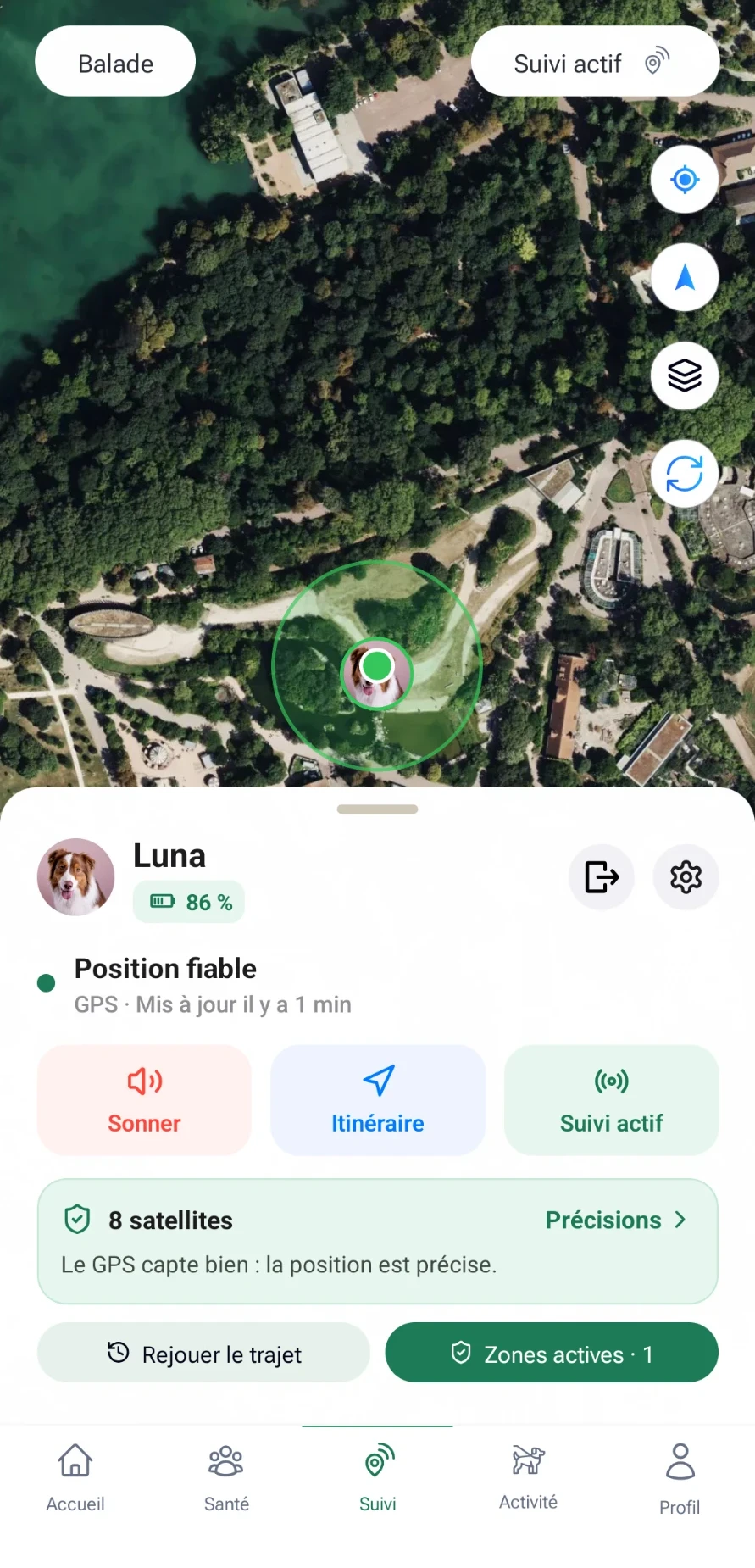
The Walk button, on the map
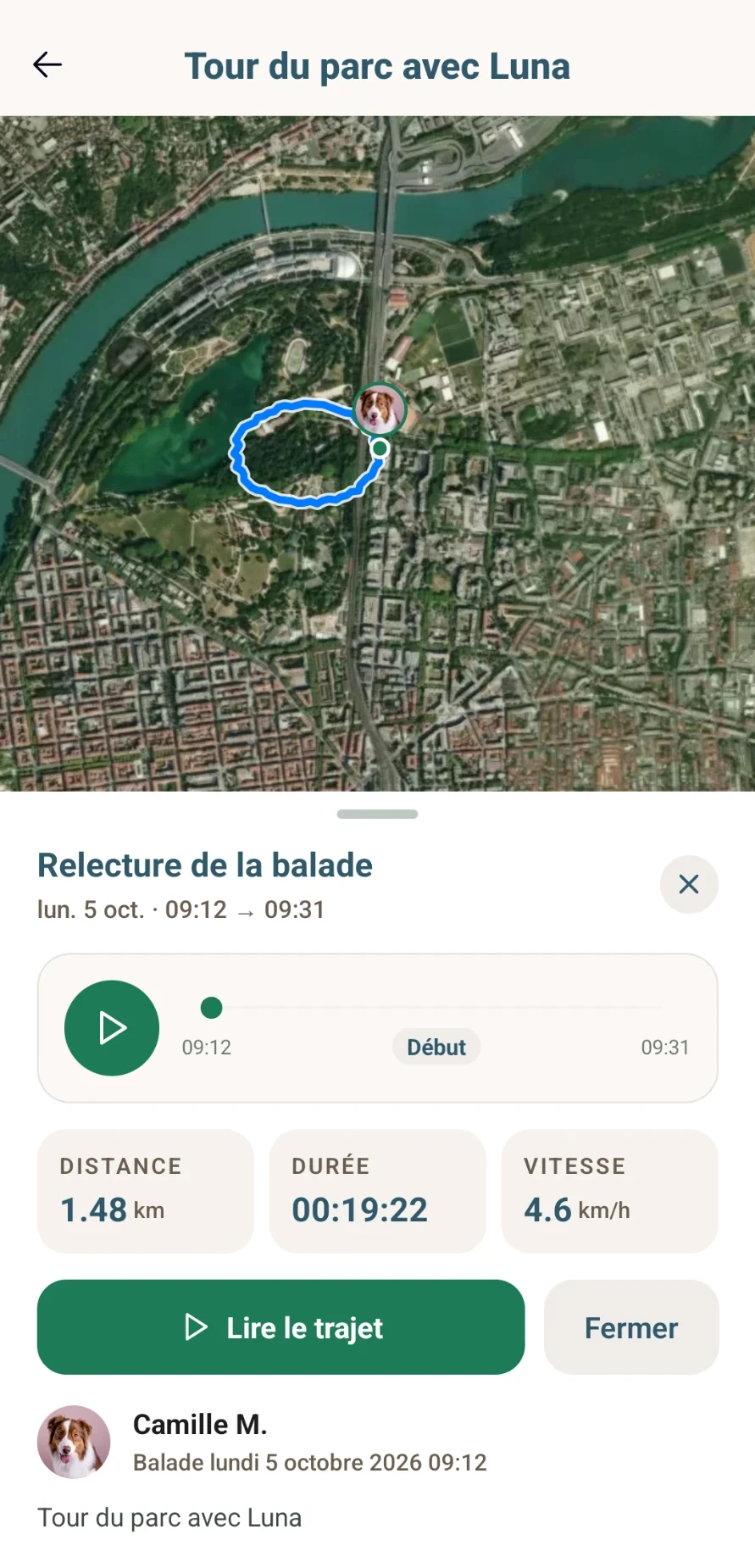
Replaying the walk
Create a safe zone
Preparing for a hike
Before a hike with your dog
0/5
How often the tracker updates during a long outing affects the battery: see GPS tracker battery life.
These routes are personal data: see how to protect your location data.