NFC + QR medallion · dogs & cats
QR code and NFC medallion.
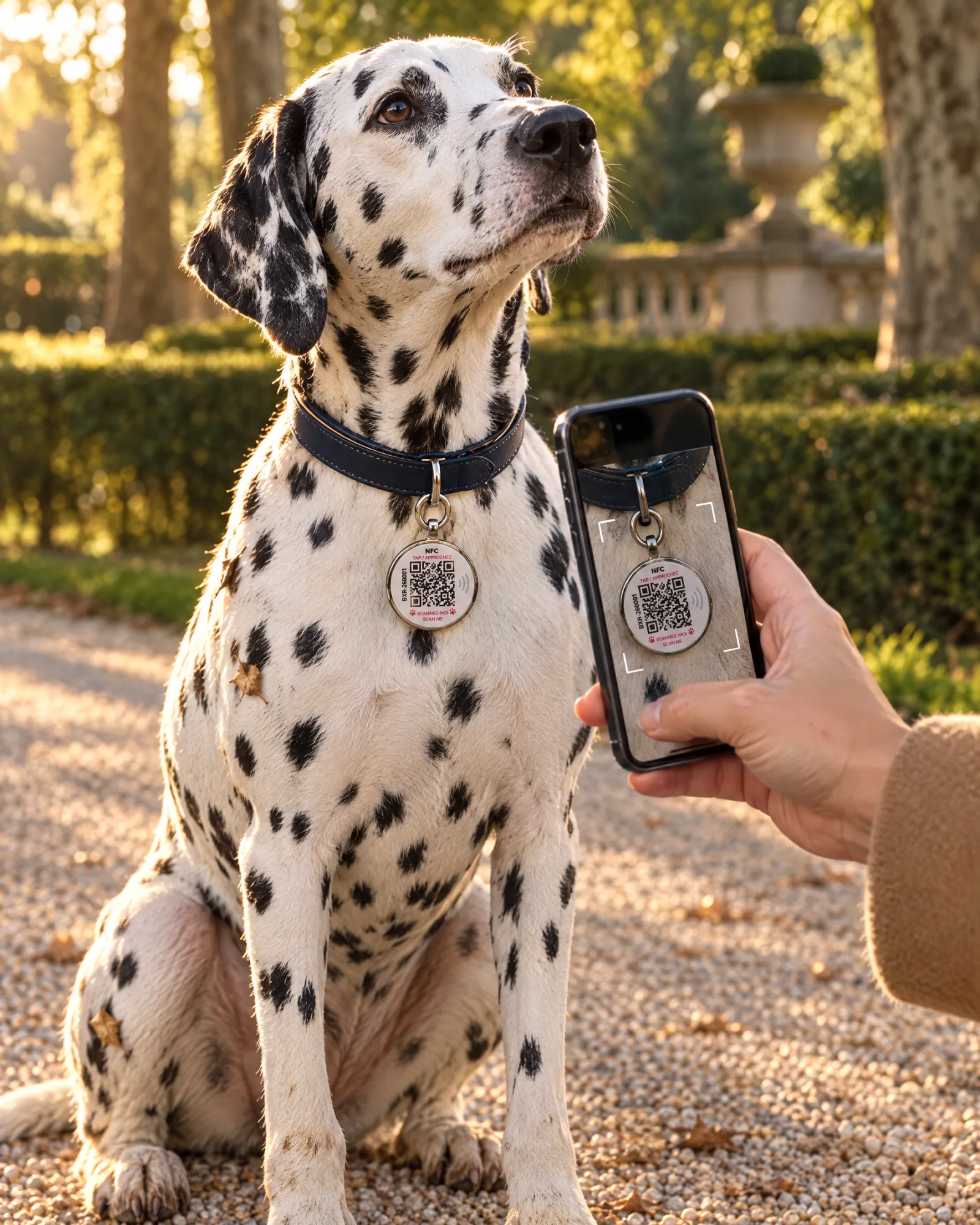
Someone finds your pet: they scan it, the profile opens and they can contact you.
QR + NFC, no battery. The tag clips onto the collar ring.
The person holds their phone to it or scans the QR code, without installing Bixar. Try it: slide the phone over the tag.
They call you or report finding your pet, and can share their position. You receive a notification and an email.
€29.00 incl. VAT · no subscription

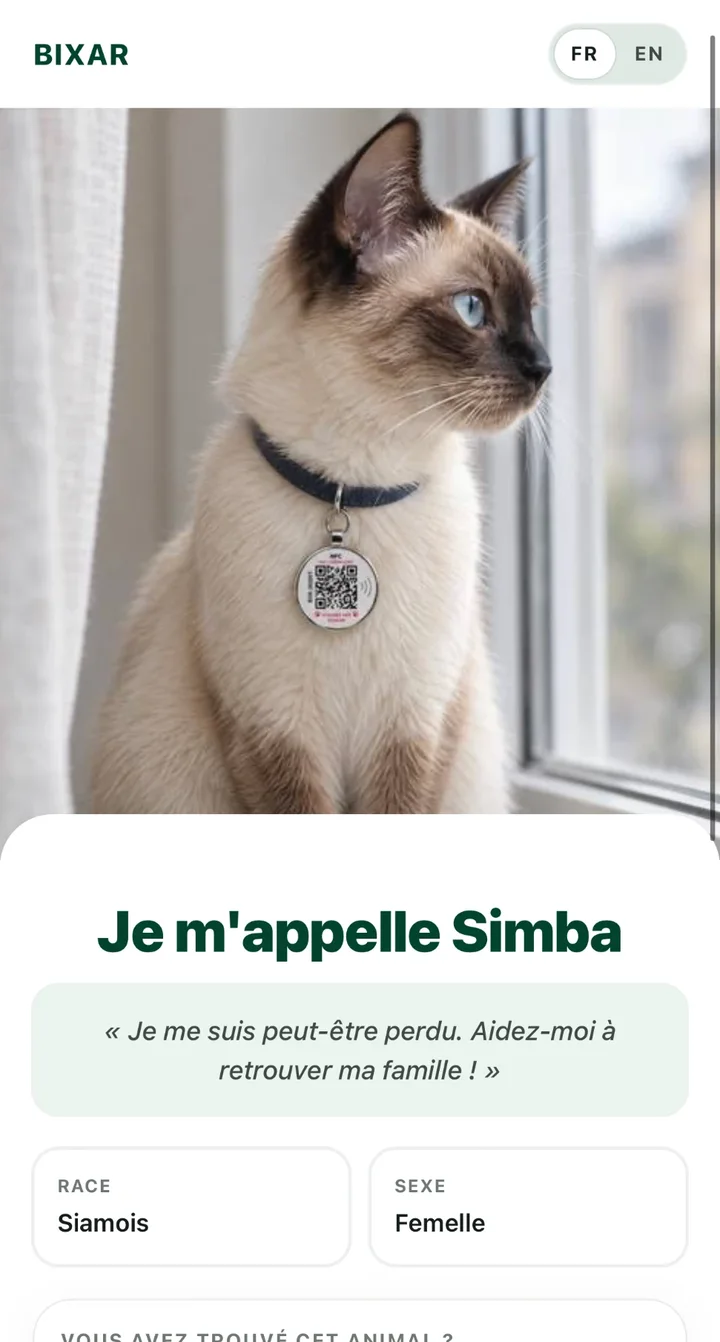
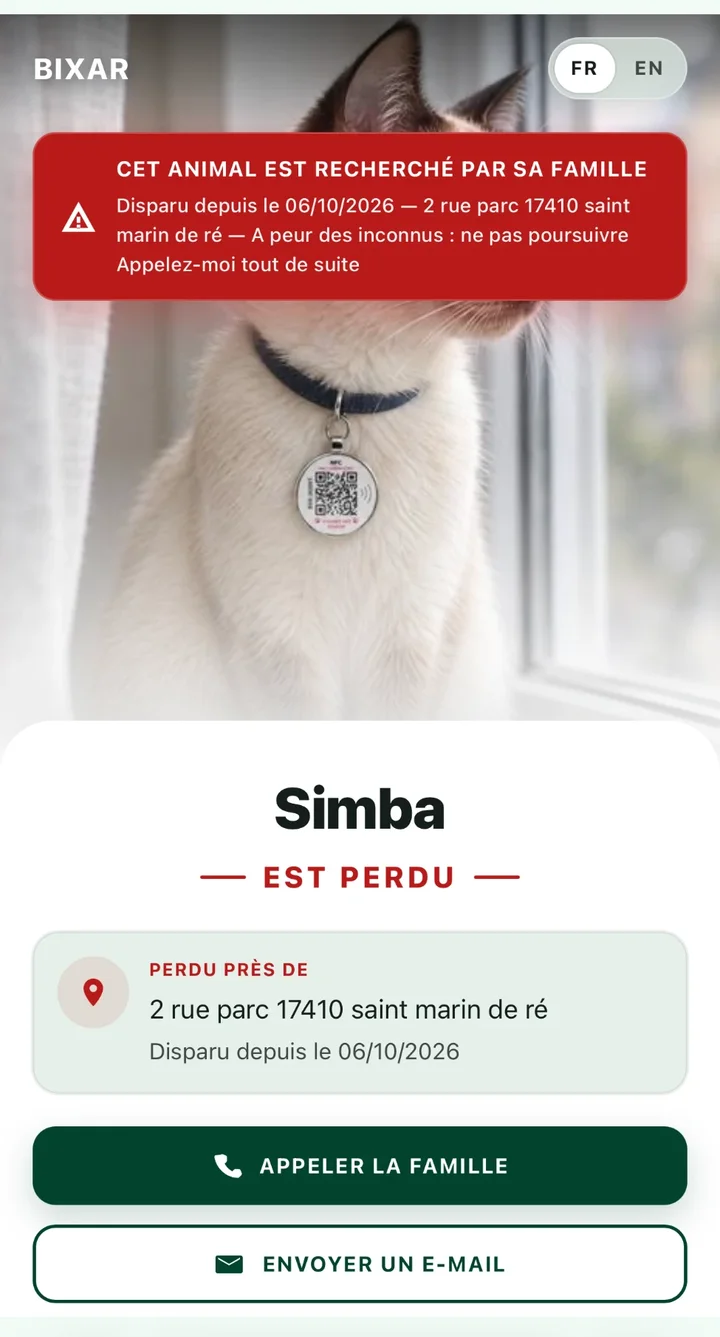
Step 1: the tag on the collar.
No subscription
Médaillon NFC + QR
€29.00 incl. VAT
One tag, a unique engraved ID, readable by NFC and by QR code. Paid once.
−20% when you buy 2 or more items. On your items, across all products, applied automatically in your basket.
- Secure payment with Stripe
- Returns within 30 days
- 2-year legal guarantee of conformity
In the Bixar app and on the web
The Bixar app
Their identity, health record and services, from the mobile app or the web.
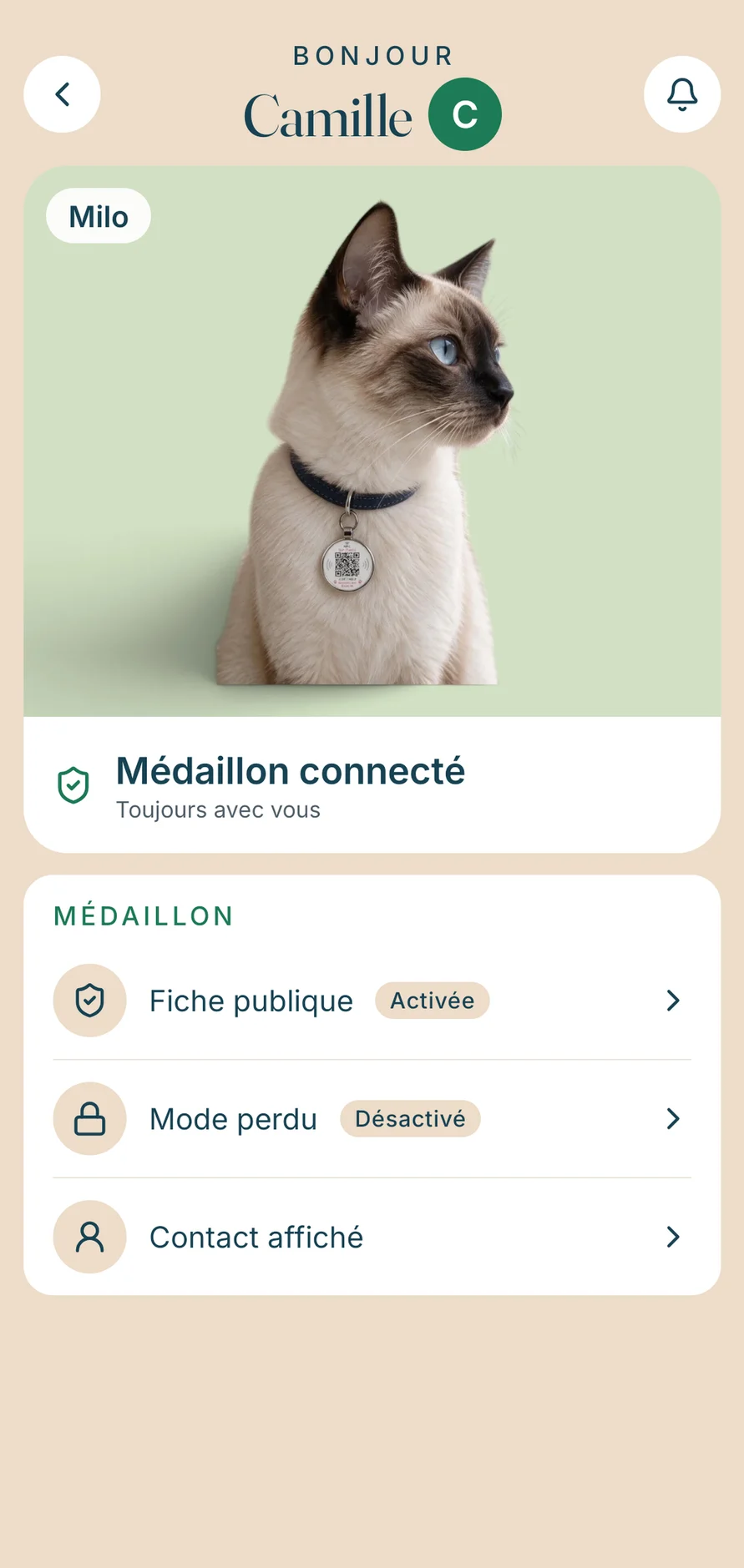
Identify
Your pet’s public profile
What appears when someone scans it.
Contacts you choose
So you can be reached in one tap.
Instant alert
A notification and an email as soon as someone reports finding them, with their location if it is shared.
Lost mode
The alert and a button to call you.
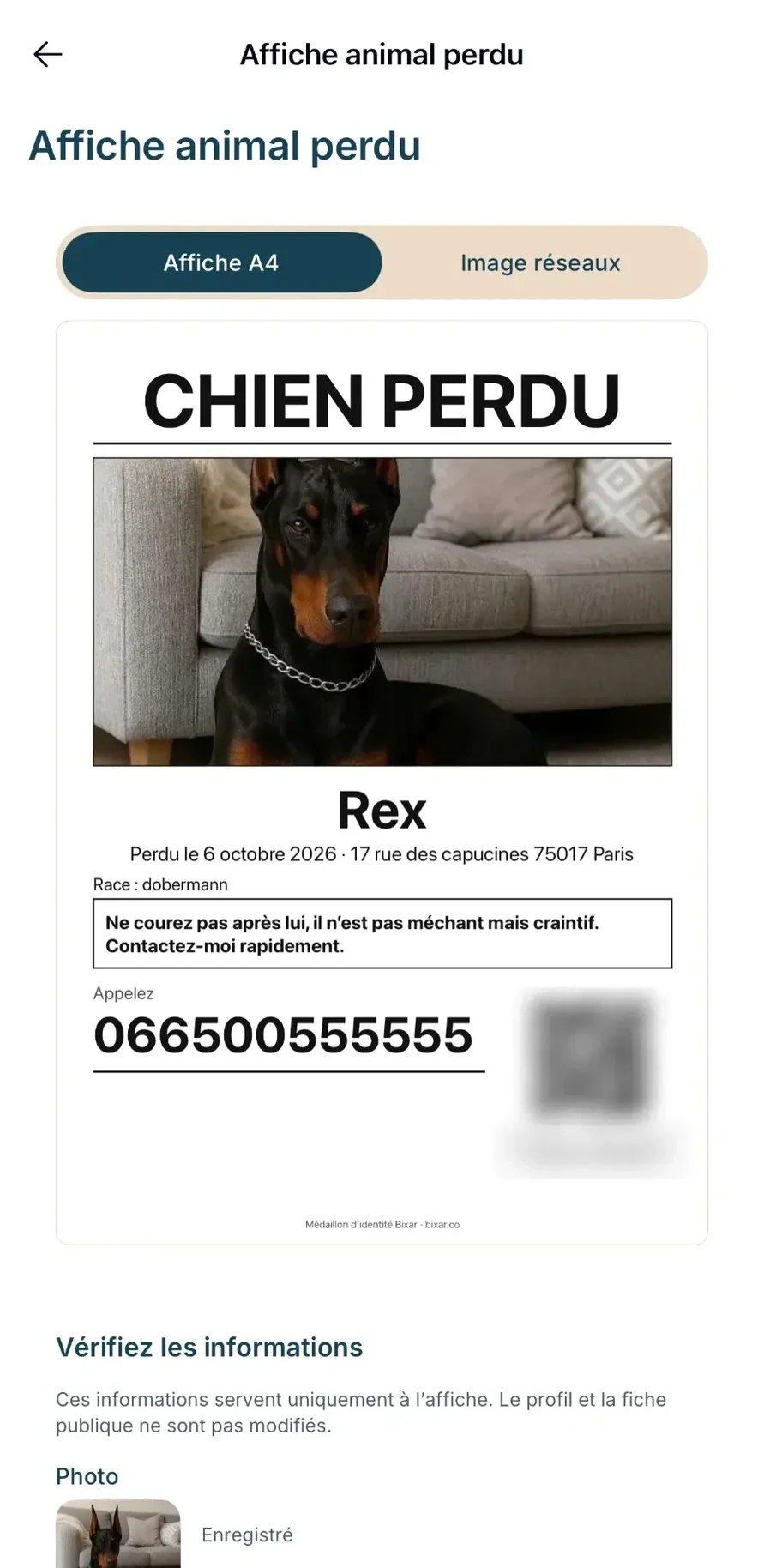
Lost pet poster
Generated from the app: an A4 sheet to print and an image for social media, with a QR code.

Care
Health record
Their useful information, all in one place.
Sharing with the vet
Depending on the access you grant.
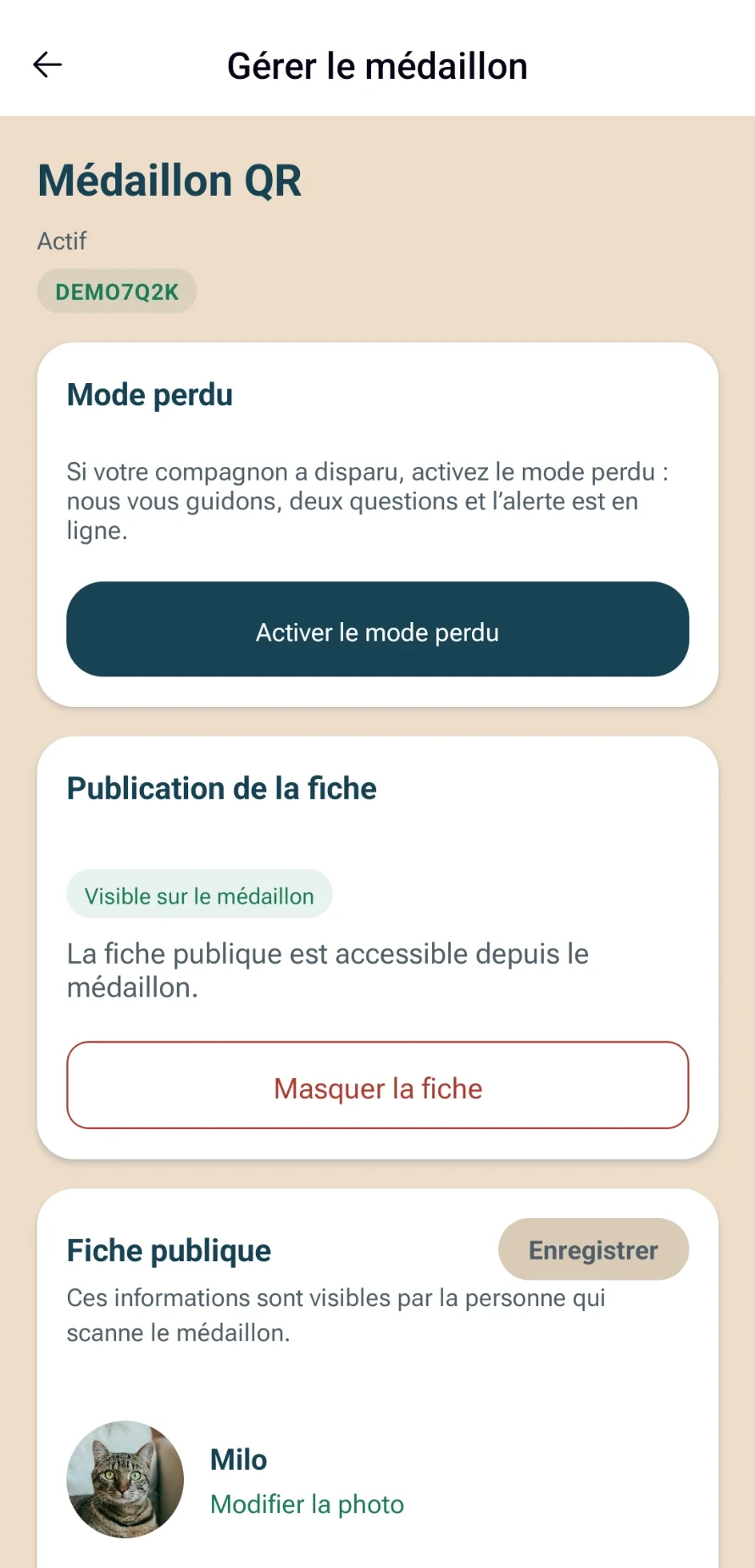
Manage
Bixar app
On iPhone and Android.
Web portal
From any browser.
Real Bixar app screens, sample data
If someone finds them
It all happens in the finder’s browser, with no app to install. You receive the alert on your phone and by email.
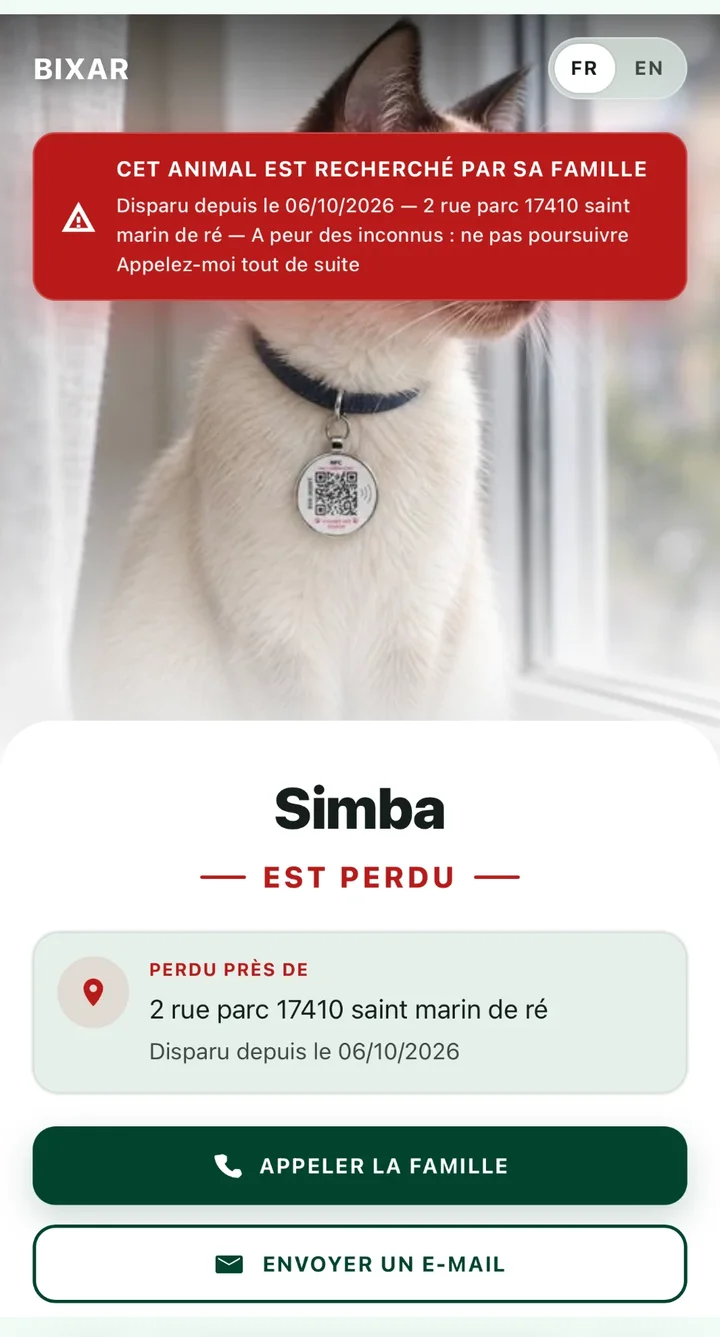
01
They scan the medallion
The profile opens: the alert, and buttons to call or write to the family.
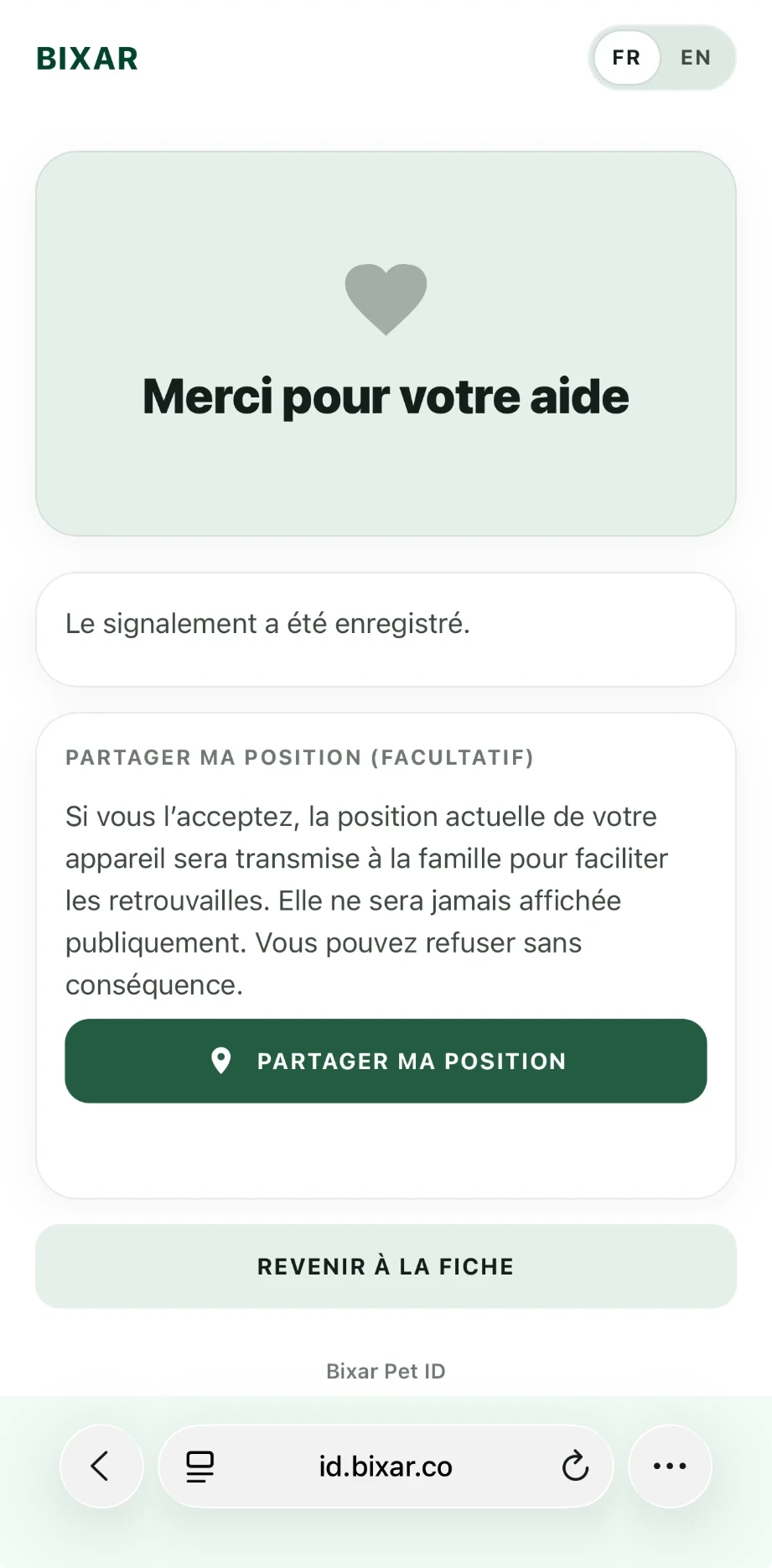
02
They report the find
And if they agree, they share their location: it is sent to the family, never displayed publicly.
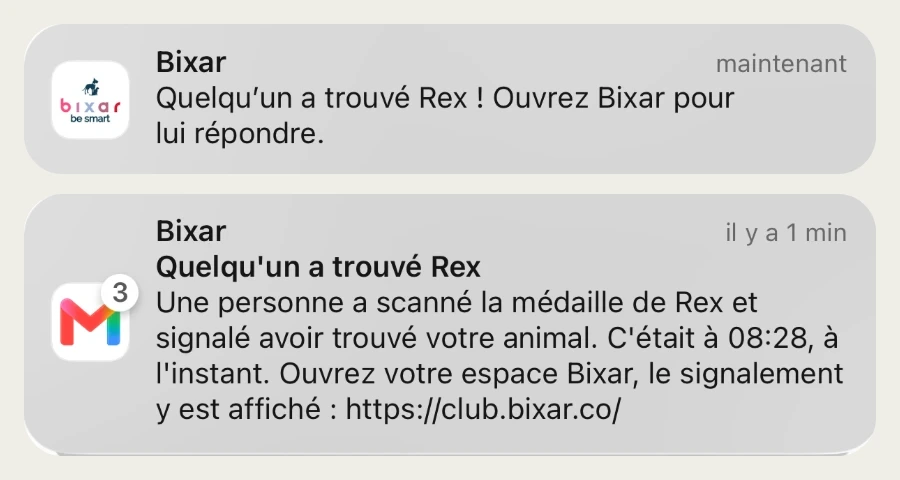
03
You are notified
A “Someone found…” notification and an email with the time of the report, then their location if they shared it.
Lost-pet poster
From the medallion profile, the app prepares a “lost dog” or “lost cat” poster: photo, name, date and place, your instructions and your number, with a QR code that opens their profile.
- A4 posterTo print for shops, vets and busy places.
- Social media imageIn the right format for neighbourhood groups.
Health record and vet
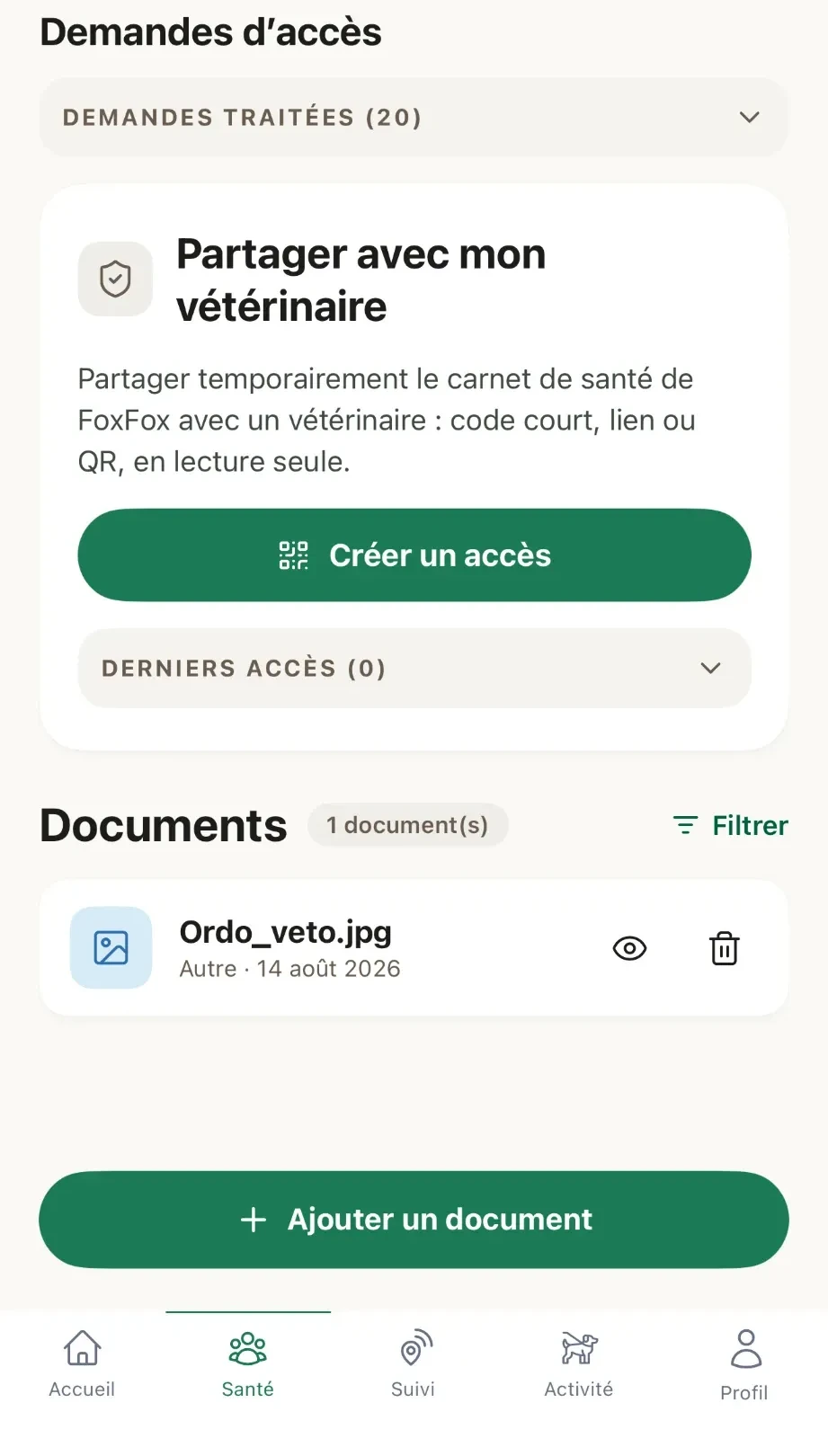
Temporary, read-only access that you create and revoke yourself. The vet cannot change anything.
01
Create access
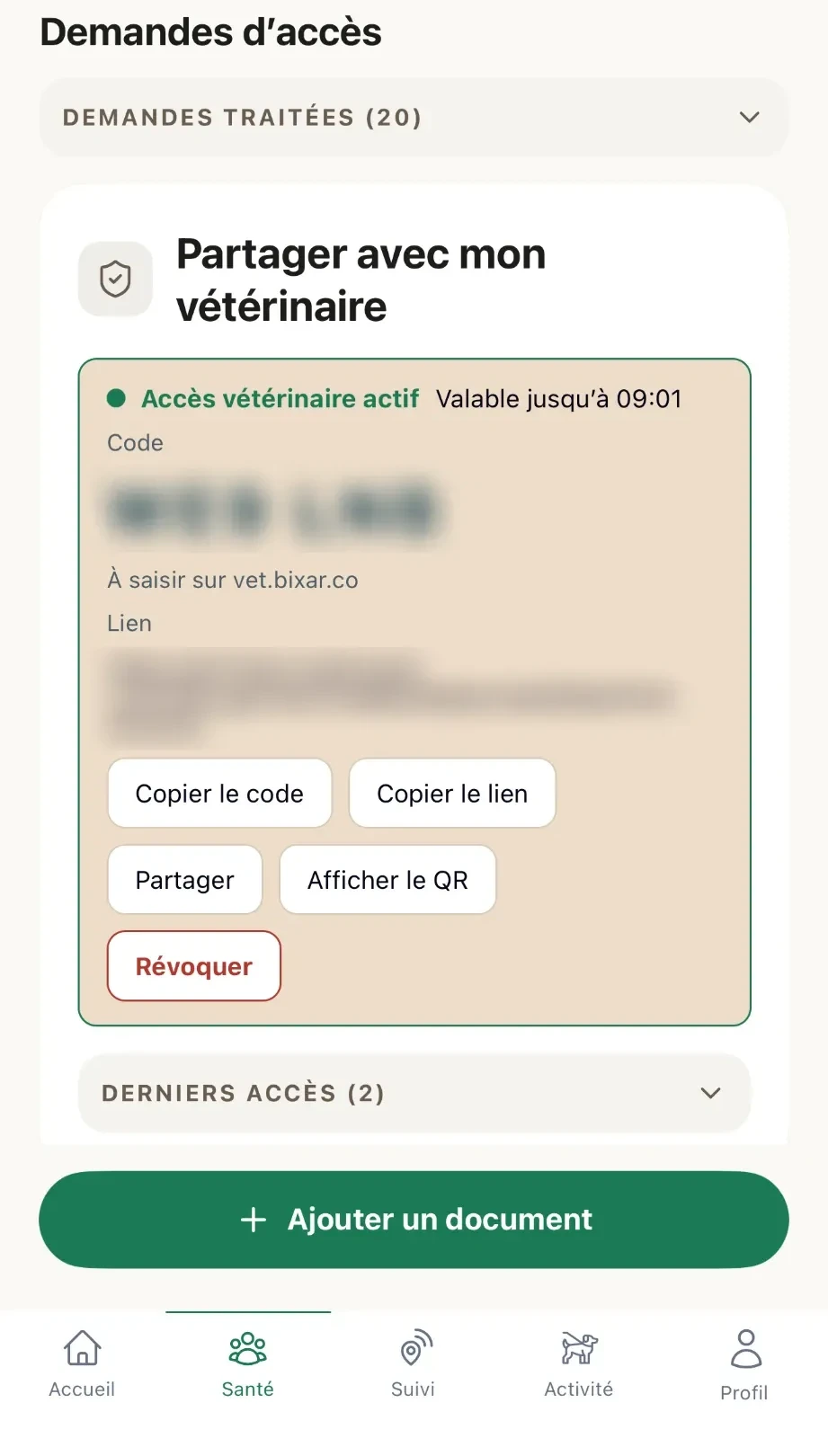
From the Health screen: temporary, read-only sharing of the record, by short code, link or QR.
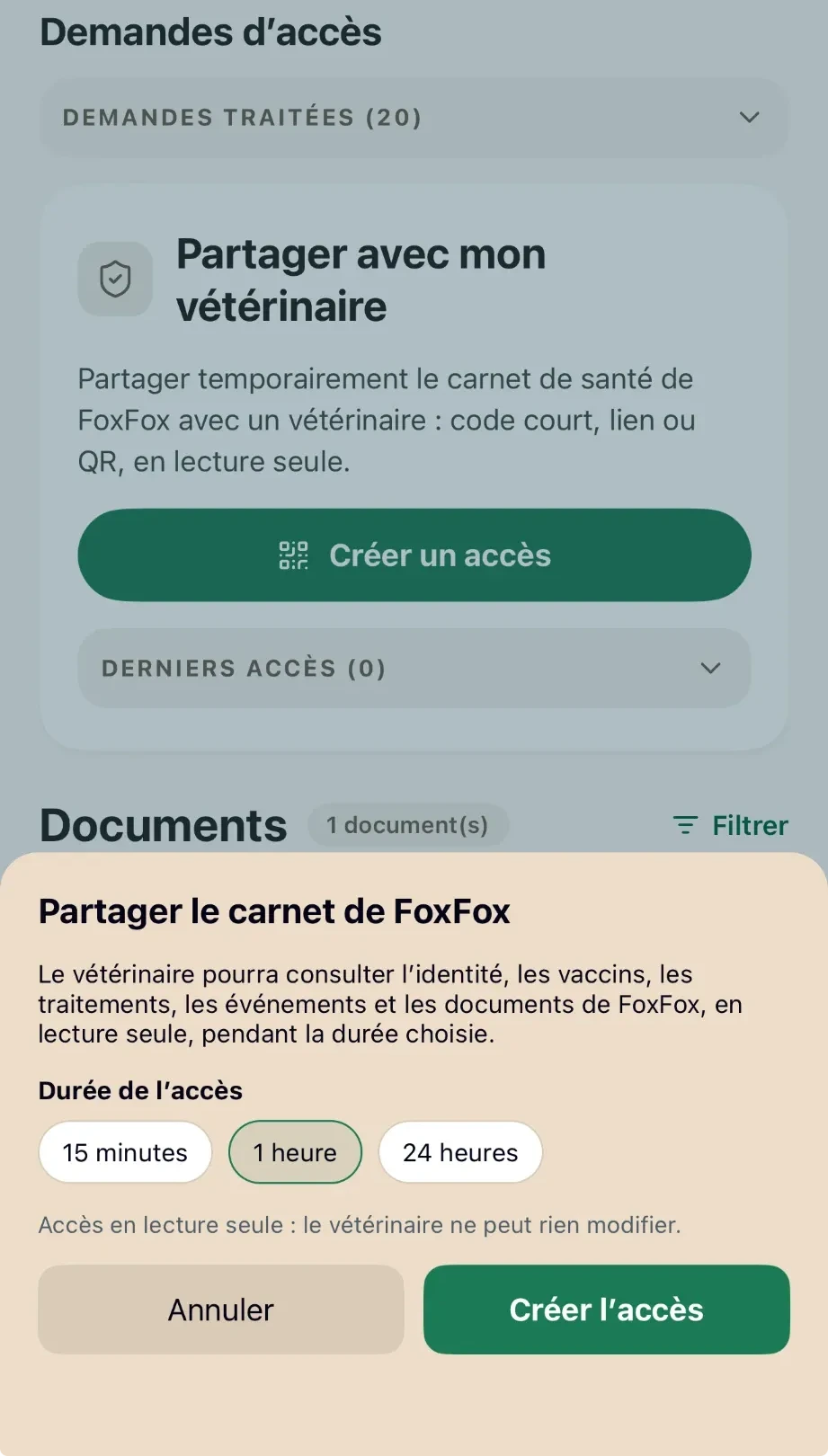
02
Choose the duration
15 minutes, 1 hour or 24 hours. The vet can view identity, vaccinations, treatments, events and documents.
03
Pass it on
A code to enter on vet.bixar.co, a link or a QR. The QR contains only the access link, no medical data.
04
Revoke it
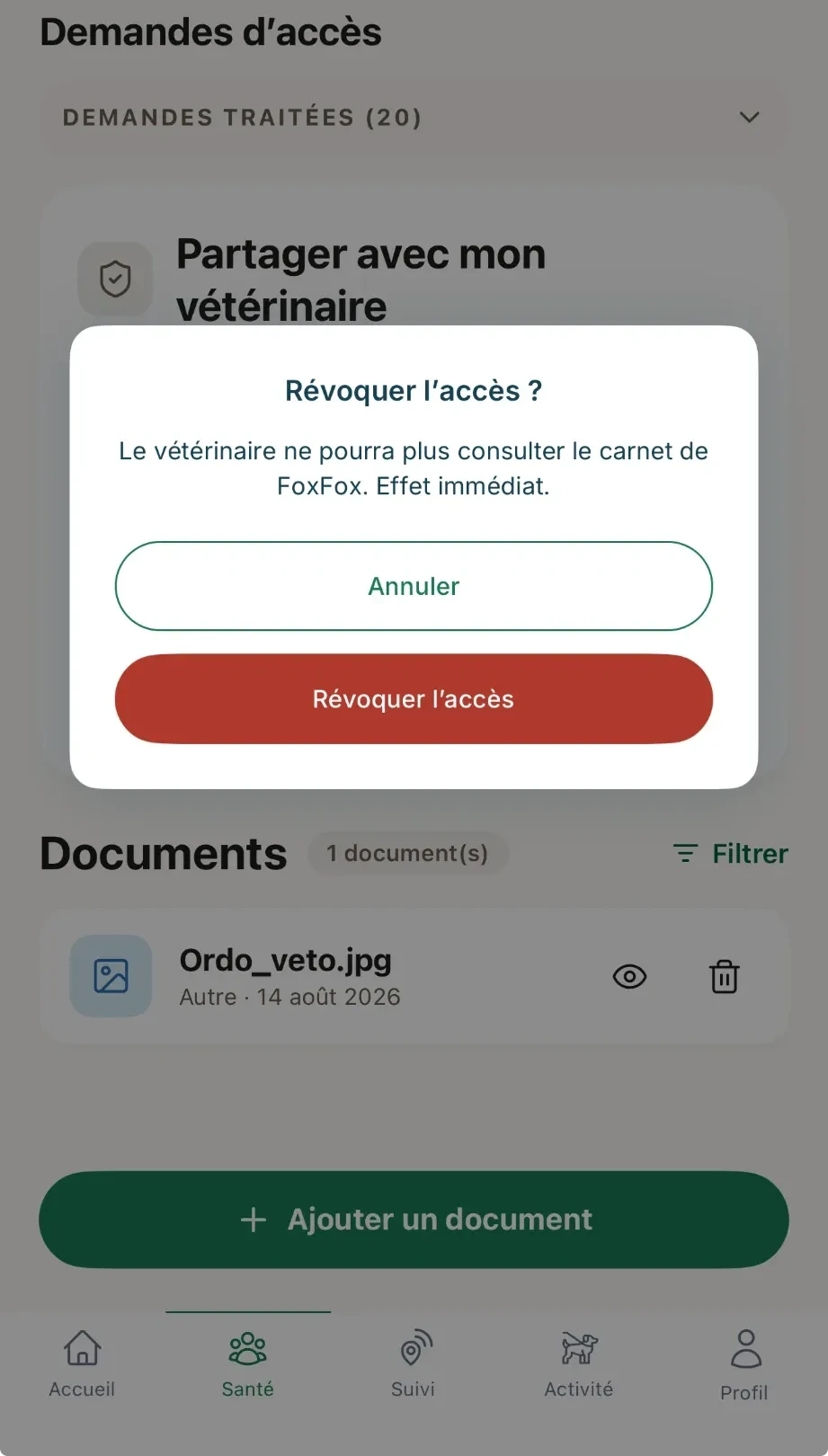
At any time, with immediate effect: the vet can no longer view the record.
Real Bixar app screens, sample data. QR codes, code and access links blurred.
No. The NFC + QR medallion is paid for once and works without a subscription.