
In brief
- Keep vaccines, treatments, reports and test results in one place.
- A digital record can be shared in a few seconds, even in an emergency.
- Prepare for the visit: current treatments, questions, changes you have noticed.
- This guide is about organising documents, not about care: your vet remains the reference.
The day you change vets, leave your pet with someone, or arrive at the emergency clinic, the same question comes up: where are its health documents?
The documents to keep
- VaccinationsThe vaccination record, with booster dates.
- IdentificationThe I-CAD identification card and, for travel, the European pet passport.
- ReportsConsultations, procedures, test results.
- TreatmentsPrescriptions, current and past treatments.
The simplest approach is to keep them all in one place, and to add to them after each visit.
Paper or digital?
| Criterion | Paper | Digital |
|---|---|---|
| Always to hand | Partial | Yes |
| Sharing with a new vet | Photocopies | In a few seconds |
| Accessible to the person looking after the pet | Partial | Yes |
| Risk of loss or wear | Yes | No |
| Vet’s stamp and signature | Yes | Depends on the document |
Yes YesPartial PartialNo NoKeep the signed paper originals: digital is for having them to hand and sharing them.
Sharing with your vet
Before a first consultation, pass on the history: vaccinations, treatments, latest reports. A digital record can be shared in a few seconds; a paper record has to be photocopied or photographed page by page.
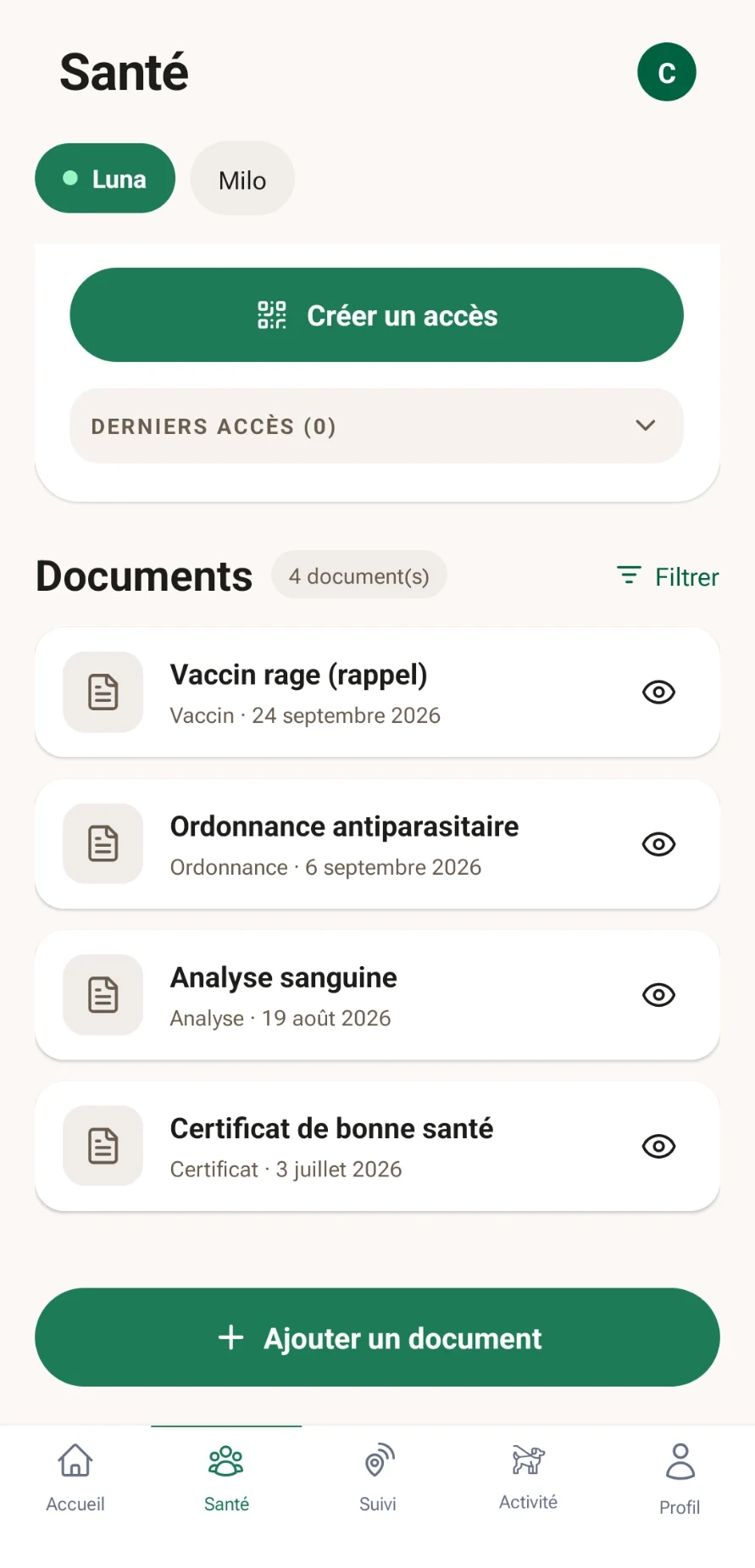
- Your documentsVaccines, prescriptions, test results, certificates: sorted by pet, filterable.
- Access for your vetTemporary and read-only: 15 minutes, 1 hour or 24 hours, revocable at any time.
- Mobile and webIn the app and on the web portal.
Sharing in four steps
- 01Create accessFrom the pet’s Health screen.
- 02Choose the duration15 minutes, 1 hour or 24 hours, read-only.
- 03Pass it onA code to enter on vet.bixar.co, a link or a QR code.
- 04RevokeAt any time, with immediate effect.
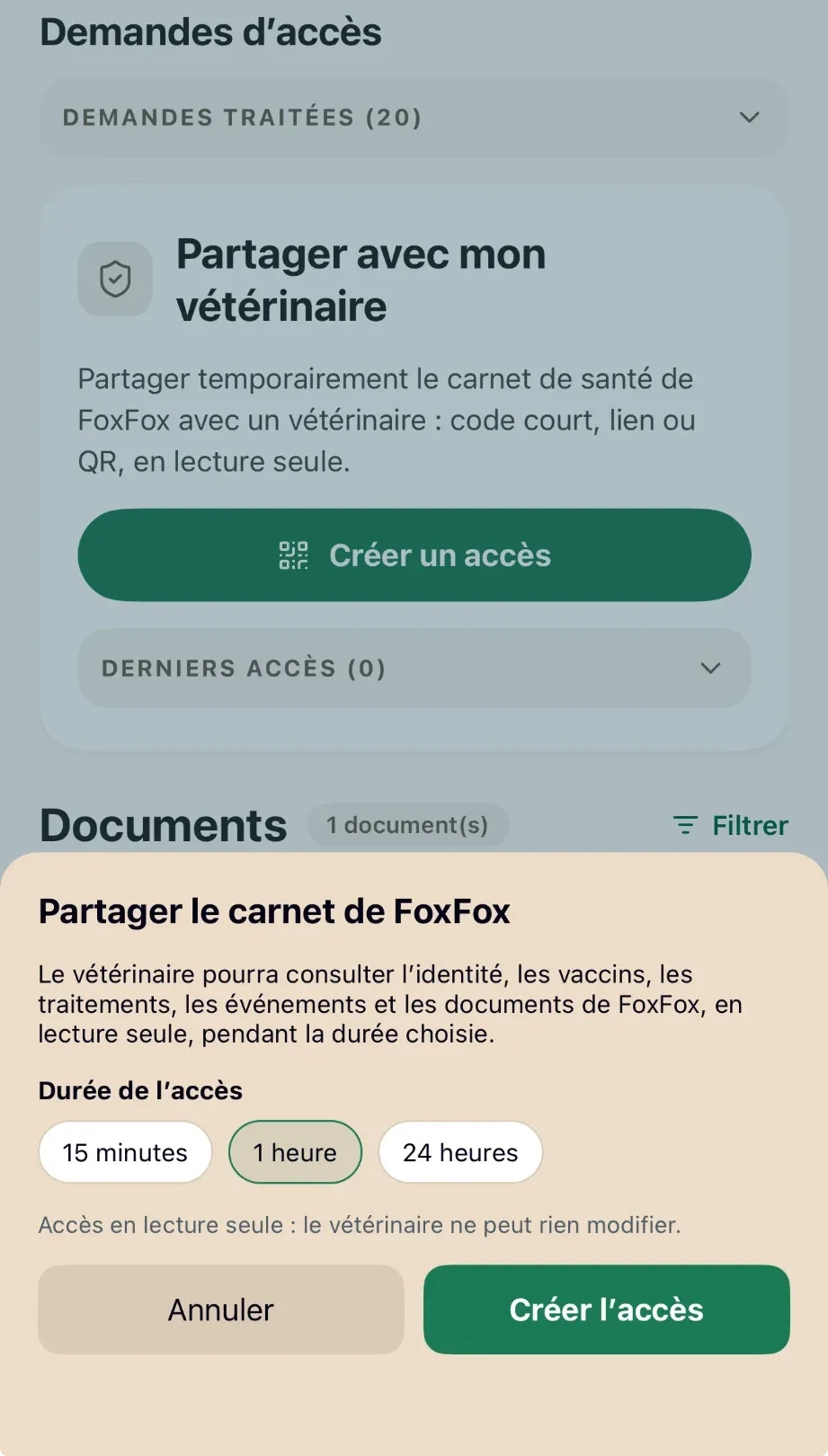
Access duration
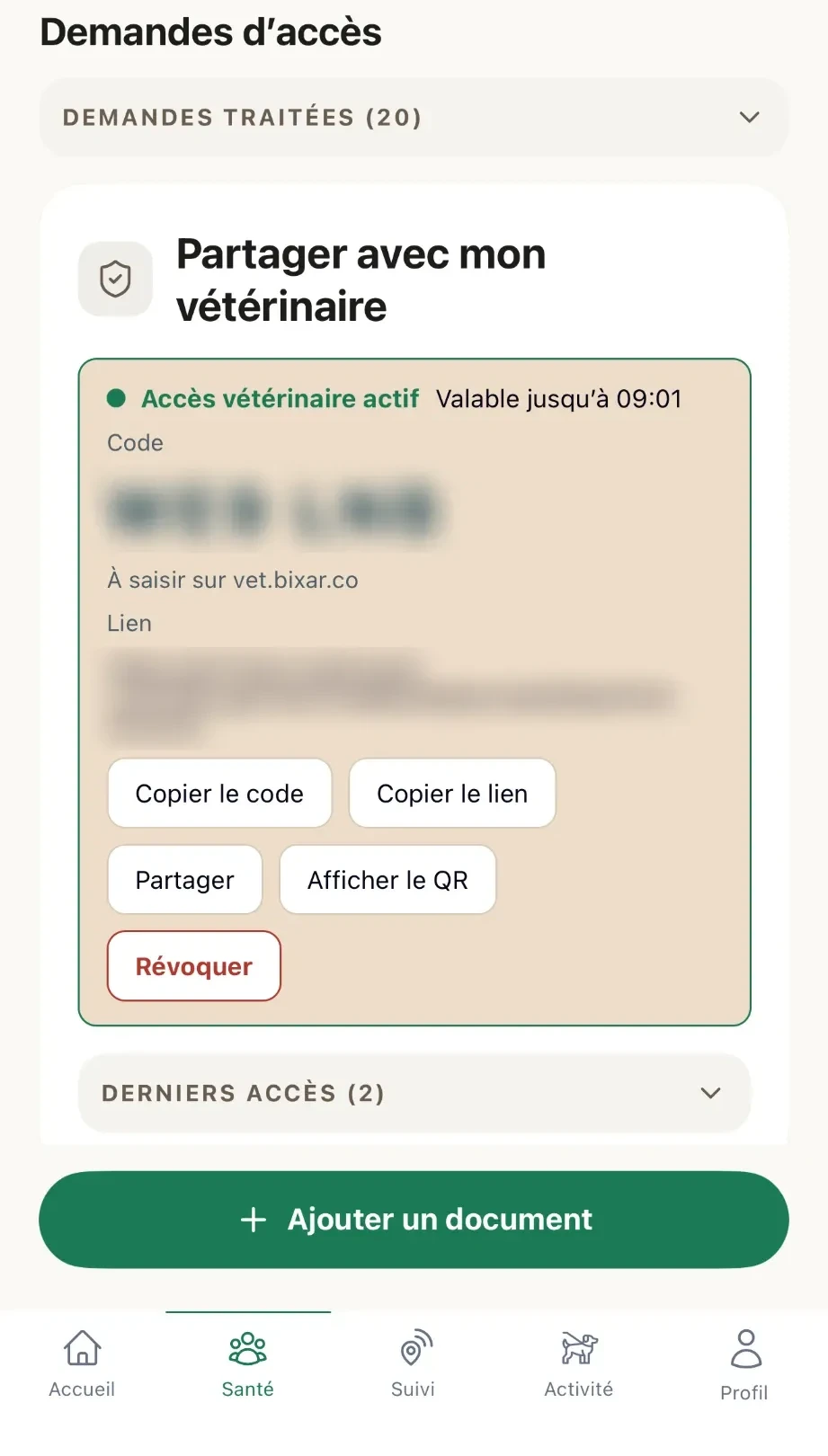
Active access (code blurred)
Preparing for the visit
I prepare for the visit to the vet
0/5
This advice is about organising documents. For any health question, your vet remains the only reference.